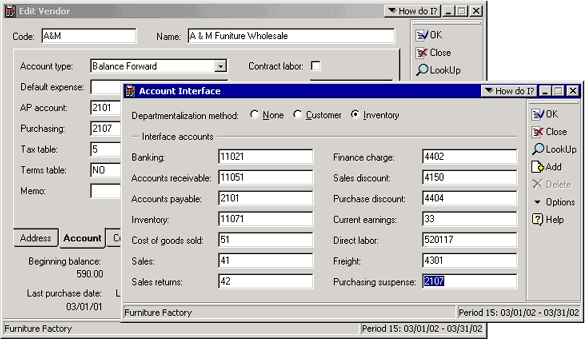
Step 2: Select the Interface Account
When you use the Purchasing Suspense feature, the Purchasing Suspense account is updated instead of Accounts Payable. To use this feature, you must supply an account number in the Purchasing Suspense field on the Account Interface dialog box. Optionally, you can add an account in the Purchasing field on the Account tab of vendor records. When you post Purchasing transactions that do not have the Update AP check box selected, the Purchasing Suspense account on the vendor record is updated. If this field is blank, the account supplied on the Account Interface dialog box is updated.